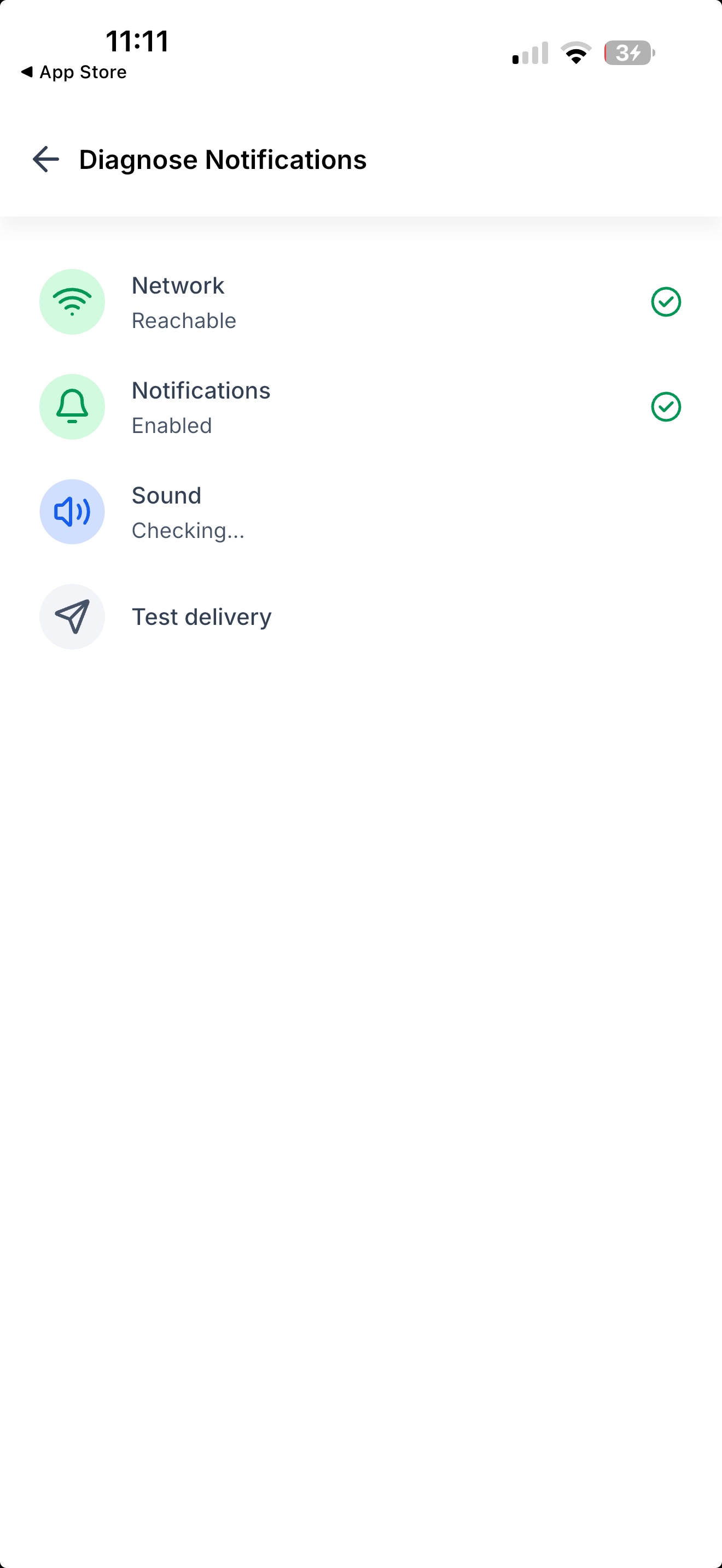
Not getting notifications? Run a quick check-up in Settings. It tests your network, notification permission, sound, and sends a real test notification to your phone — then tells you what's wrong.
The Challenge
When notifications stop arriving, there's no way to tell why. Is it your Wi-Fi? A setting you turned off? Your phone on silent? Or something on our side? You were left guessing, and support had nothing to go on.
Solution
A one-tap diagnosis that checks everything between our servers and your phone, and points at what's broken.
What all can be done
- Run four checks in one tap: Network, Notifications, Sound, and Test delivery — each with a clear pass or "needs attention".
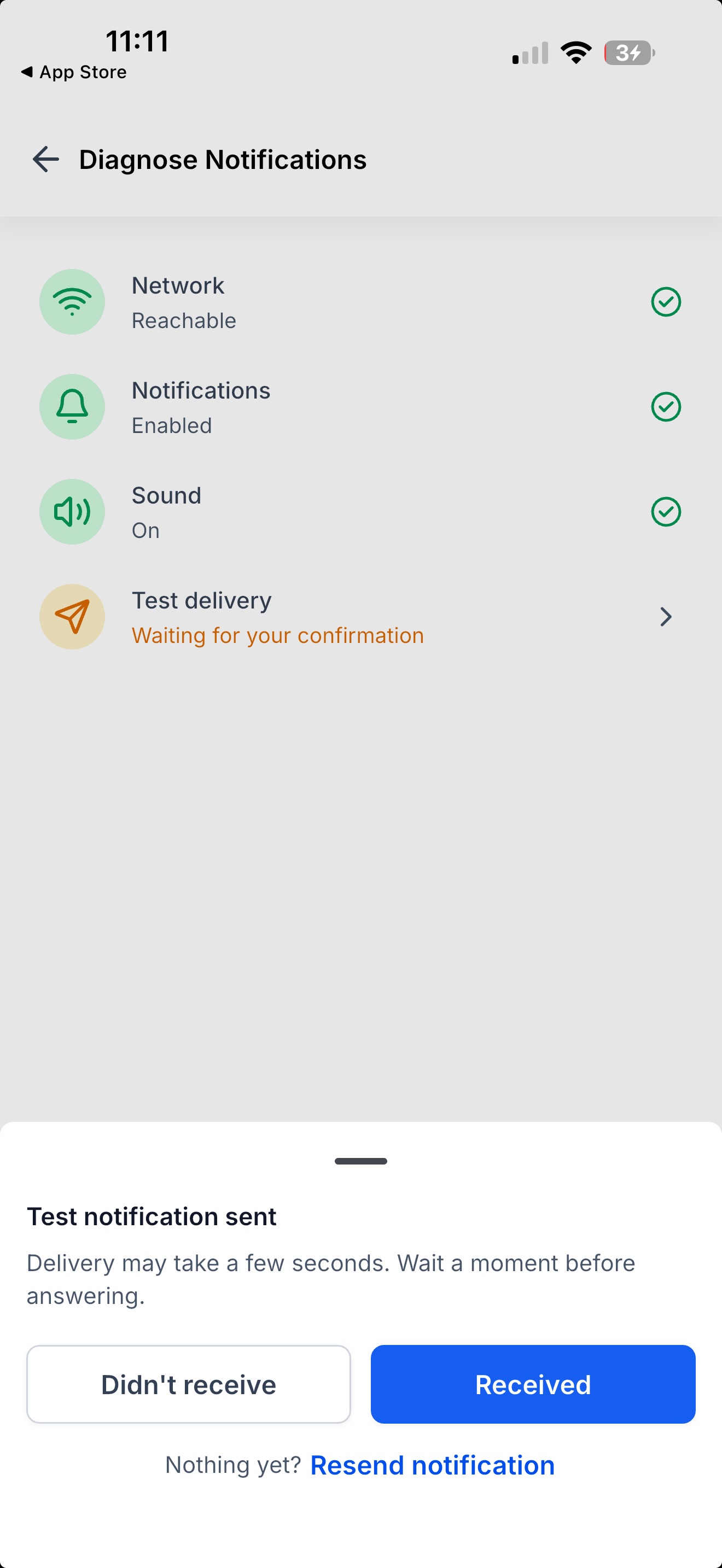
- Get a real test notification: we send one to your phone and ask if it arrived. Not there? Tap Resend to try again.
- See what to fix: every failed check tells you what to change — your Wi-Fi, your notification permission, or your ringer and Focus mode.
- Copy the report: one tap copies your results to paste into a support ticket.
- Re-check anytime: fix something and tap Run diagnosis again.
What you get out of it
- An answer in under a minute, instead of guessing at settings.
- Proof it's not your phone: if every check passes and the test still doesn't arrive, it's on us to fix not you.
- Faster support: send one report instead of answering a list of questions.
How to get started?
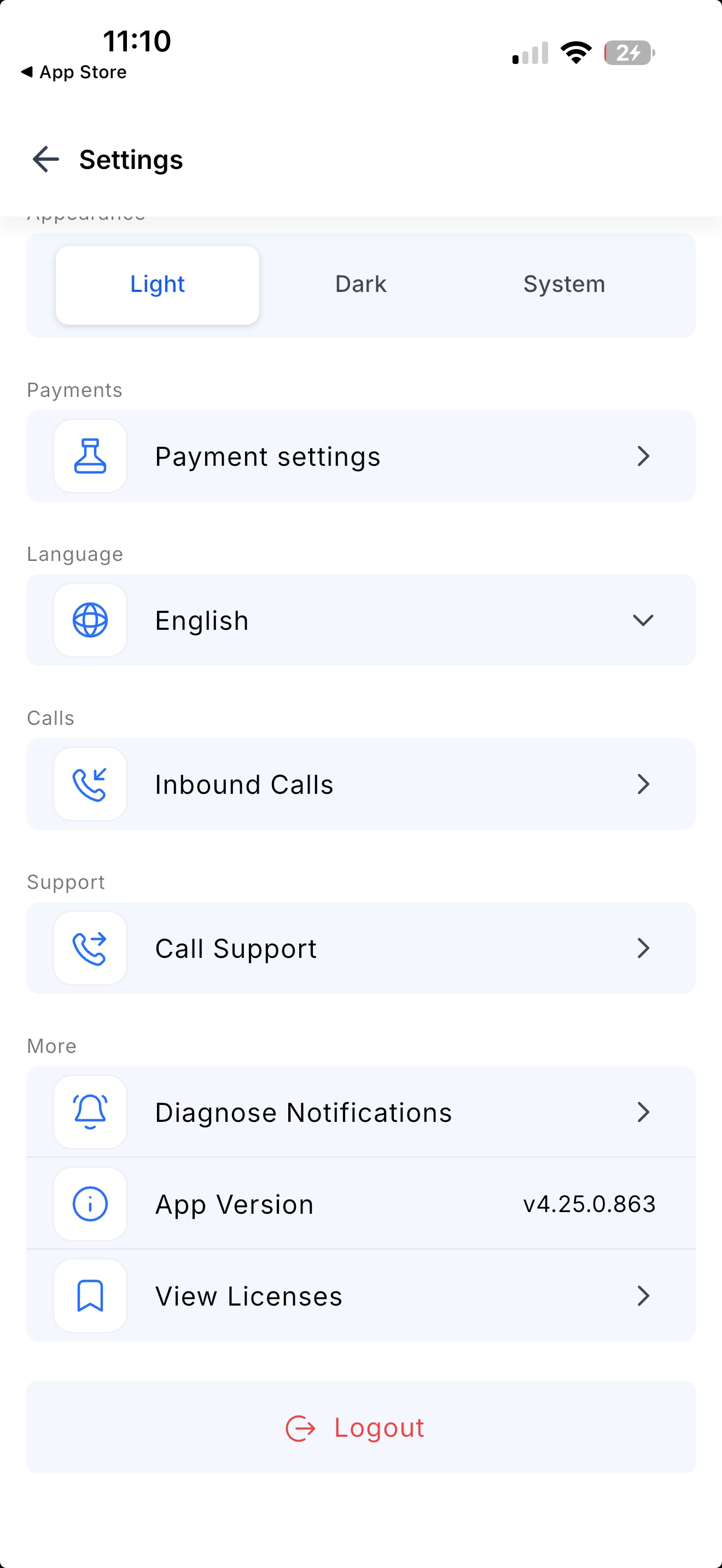
- Open Settings → Diagnose Notifications, then tap Start Diagnosis.
- Answer the test notification: Received, Didn't receive, or Resend.
- Fix anything flagged, then tap Run diagnosis again.
- Still stuck? Tap Copy report and send it to support.
Roll-out & Availability
- Release Date: September 2026
- Available Version: 4.25.0 or higher
- Status: Production
- Platform: :white_check_mark:
- WL App: :white_check_mark:
Was this article helpful?
That’s Great!
Thank you for your feedback
Sorry! We couldn't be helpful
Thank you for your feedback
Feedback sent
We appreciate your effort and will try to fix the article