Members can now filter and sort courses directly from the Learning page, making it faster to find the right content in communities with growing course libraries.
What's New?
Filter by Topic, Difficulty & Language
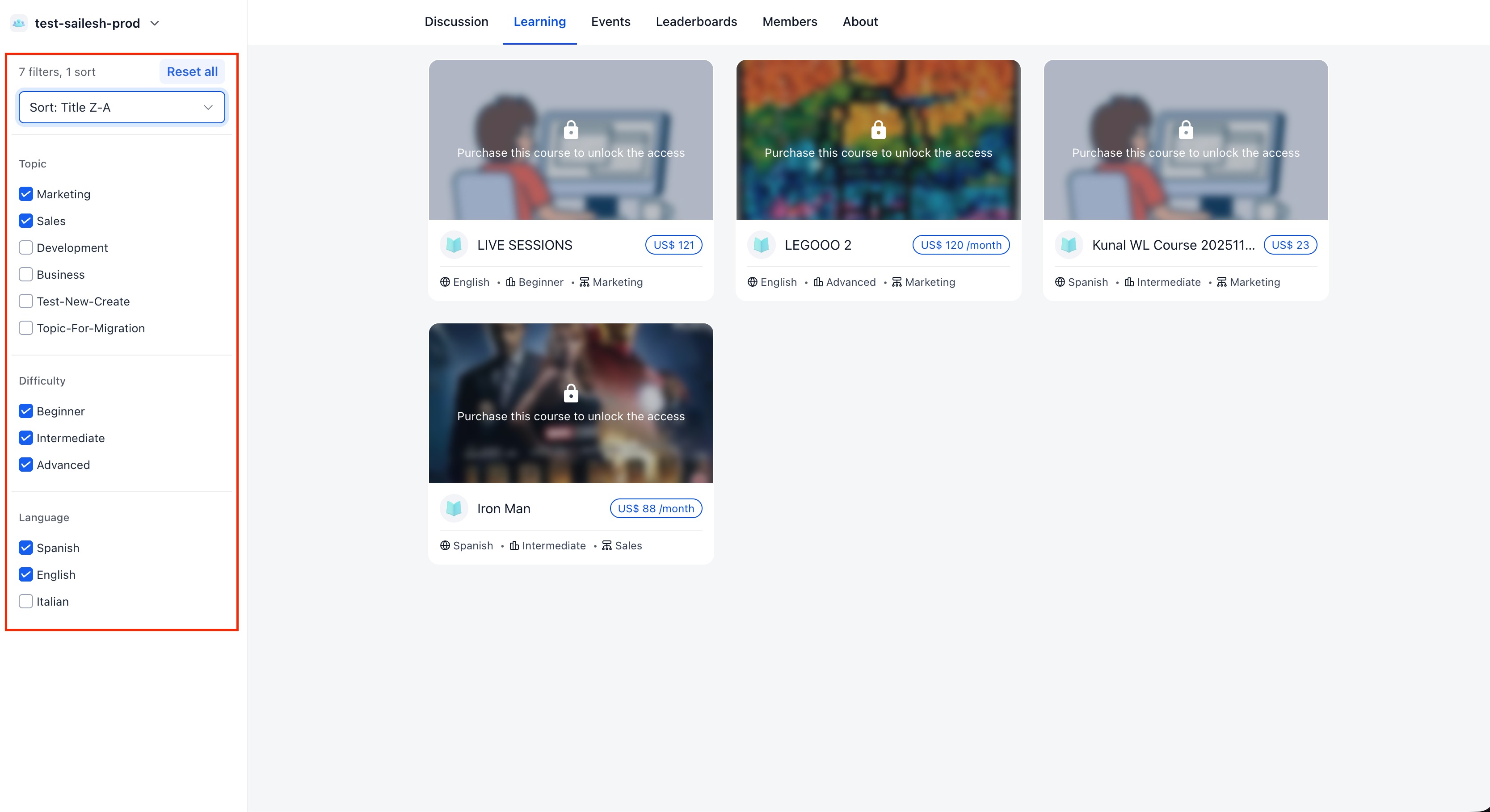
The Learning page now includes filter options so members can narrow down courses by
Topic, Difficulty, and Language
. Select one or more values across any combination of filters to quickly find what's relevant.Course creators assign topic, difficulty, and language values from the course builder. Once assigned, those filters become available for members inside the community.
Sort Courses
Members can also sort the course list by
Title (A–Z / Z–A), Newest, or Oldest
- giving more control over how courses are browsed.Available on Mobile
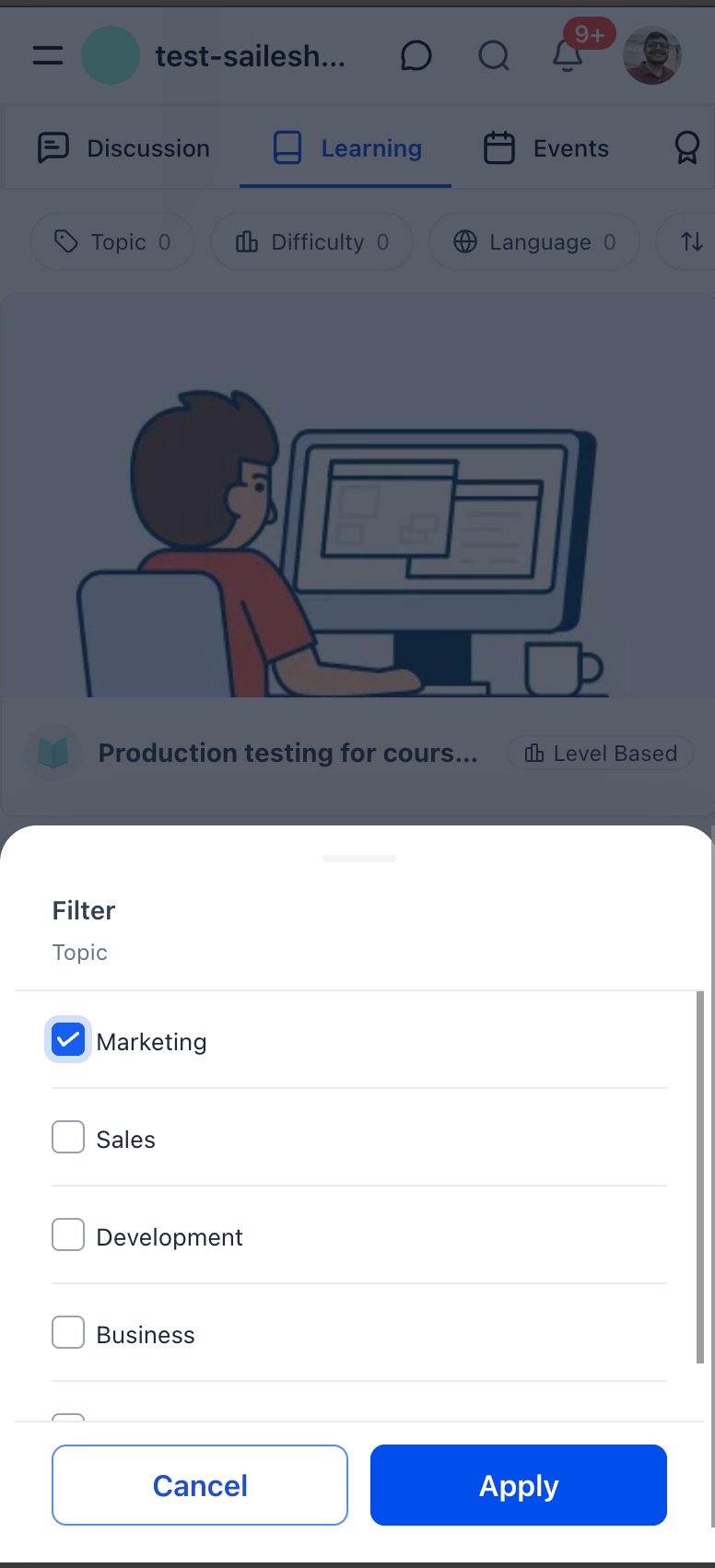
Course filtering is available on the mobile app as well. Filter chips for Topic, Difficulty, and Language appear at the top of the Learning tab, with a bottom sheet for selecting values.
Why This Matters
As communities add more courses, a flat list becomes harder to browse. Filters let members quickly narrow down by interest, skill level, and preferred language - spending less time searching and more time learning.
Notes
- Filters are based on topic, difficulty, and language values assigned to courses in the builder.
- Multiple filters can be combined for more precise results.
- Available on both web and mobile.
Was this article helpful?
That’s Great!
Thank you for your feedback
Sorry! We couldn't be helpful
Thank you for your feedback
Feedback sent
We appreciate your effort and will try to fix the article